Open n8n together, watch the Module 4 leave request run as a real workflow, then build, test and publish your own: a form, a sheet, a branch, two e-mails and a guard.
Module 05 ~50 min read + lab + 3 live videos No codePrerequisites: Module 4: Workflow Mapping II and your future-state map. You open the free 14-day n8n Cloud trial together at the start of the session (do not sign up in advance). Have an e-mail inbox you can open, and one Google account for both your sheet and the n8n connection.
| Session | What happened, or happens |
|---|---|
| 3 | The leave request mapped as it really runs: 25 minutes of work, about 4 days of waiting, 8 hand-offs |
| 4 | The future state, an Automation lane, and one chosen first build |
| 5 (this module) | That first build running in n8n, and your own first workflow |
| 6 | AI steps inside the workflow: classify, extract, draft |
Same clicks, same minute, everyone. In the live session the instructor signs up on screen at your pace; anyone stuck is moved to a breakout room by the co-host.
n8n Cloud. No credit card required.
Later you connect one Google account to Sheets and Gmail: the same account that owns your sheet.
Open the verification e-mail (check spam and Promotions). Nothing after two minutes? Raise your hand in Zoom.
It gets its own address, like yourname.app.n8n.cloud. Write it down.
Answer or skip; they only tailor suggestions.
You land on the overview. Stop there and wait for the group.
1. It lasts 14 days, and then the workspace is deleted. 2. It allows 1,000 executions; every test run counts as one (the counter is always top left). 3. At the end of every session: the three-dots menu next to the workflow name, Export JSON. Your workflows then live in your Downloads folder, not only in n8n; Import, From file loads them into any workspace.
Day3_S5_n8n_Signup_Sheet.pdf: the six clicks and the three rules on one page.
A visual editor where you connect boxes. Each box, a node, talks to one application or does one operation on data. You draw the Automation lane from Module 4 as a chain of nodes, and the platform runs it every time the trigger fires. No code, but real logic: branches, retries and error handling.
| Platform | Strength | Watch out for | Cost model |
|---|---|---|---|
| n8n | Self-host or cloud; branching; code when needed; AI nodes | More technical settings | Per workflow execution (cloud); free self-hosted |
| Make | Visual scenarios, many apps | Operations add up fast | Per operation |
| Zapier | Largest app catalogue, simplest start | Price per task at scale | Per task |
| Power Automate | Inside Microsoft 365 | Licensing tiers | Per user or per flow |
The skills transfer: every one of these has triggers, actions, data mapping, conditions and credentials. This course uses n8n because it covers plain automation, AI steps and agents in one tool, and because it can run on your own server, which matters for data that must not leave the organisation.
When does this run? A form is submitted, a schedule fires, an e-mail arrives, a webhook is called. In Module 4 terms: the start event of the future-state map. A second event needs a second workflow, or a trigger that covers both.
What happens next, in order: read or write a sheet, send an e-mail, check a condition, call an API. In Module 4 terms: the steps in the Automation lane.
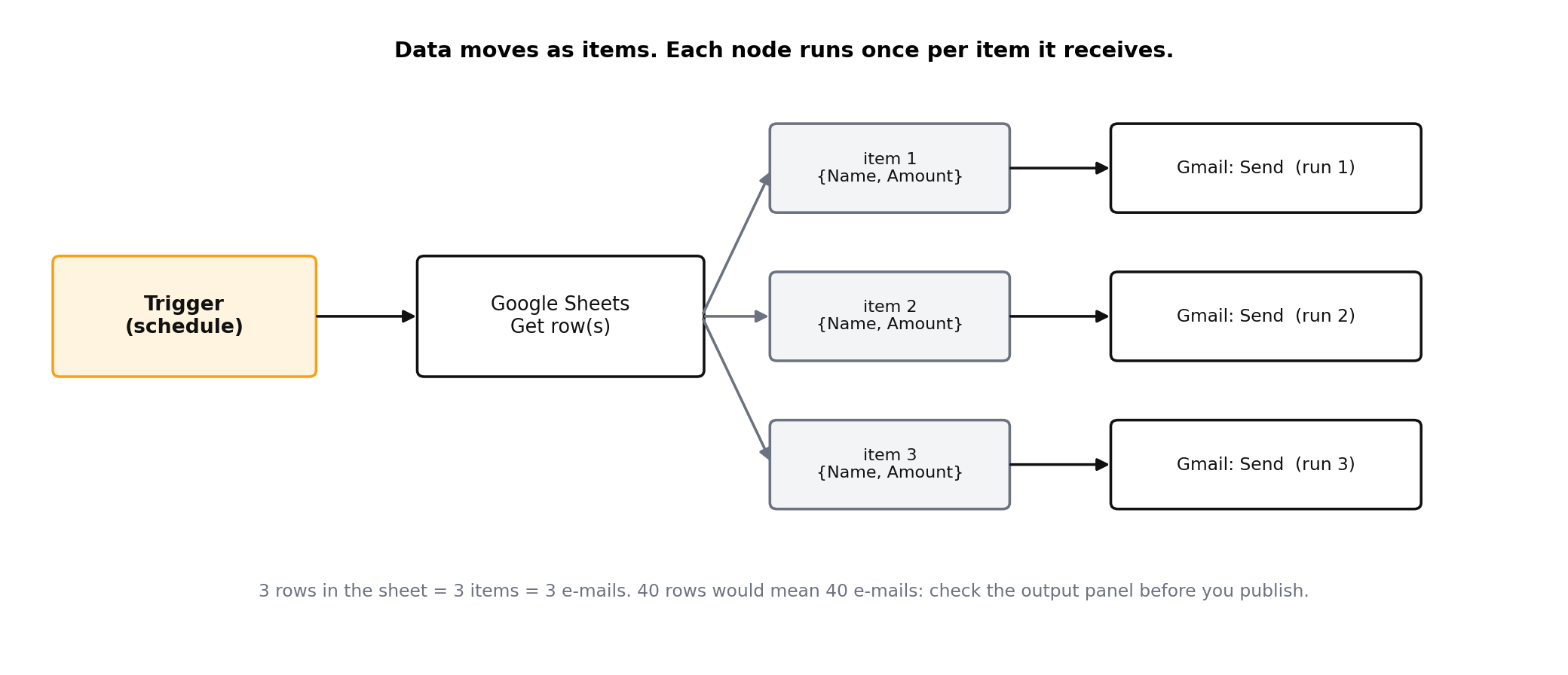
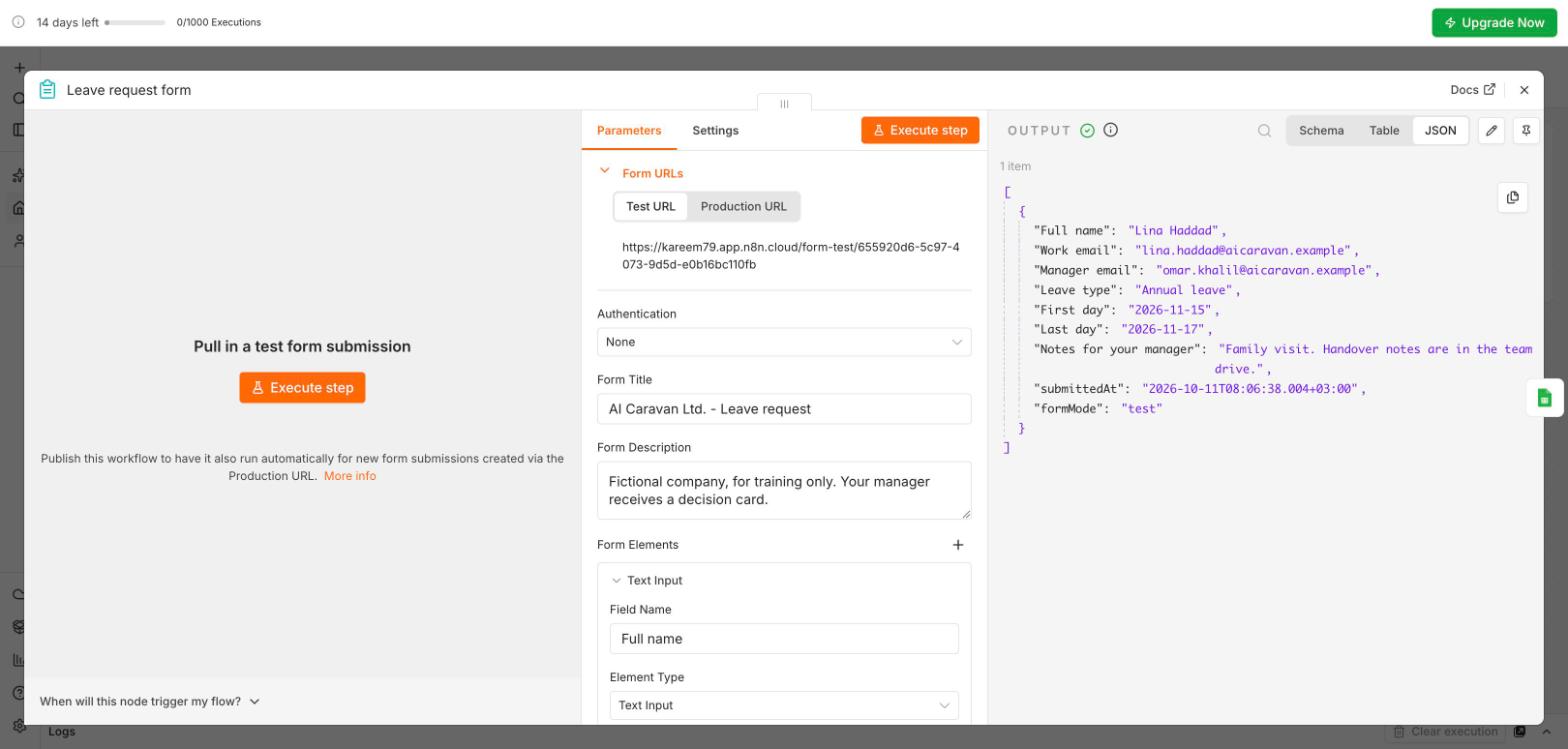
submittedAt and formMode). Switch Schema, Table and JSON to read it; fields are what you drag into the next node.After adding any node, click Execute step and read its output panel before you add the next one.
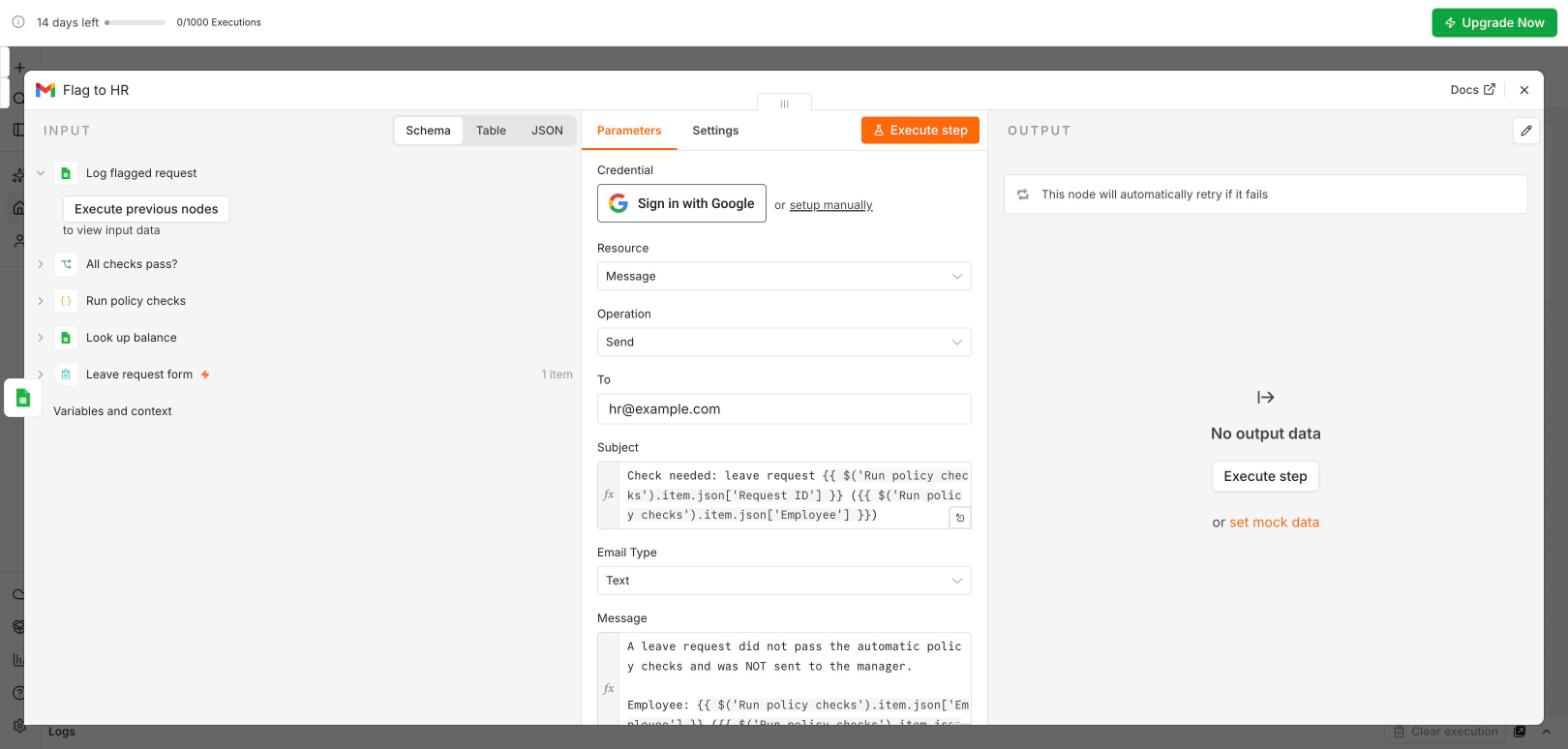
Module 4's first build, as a real workflow. In the session you watch; you do not build this one. It implements candidates 2 and 3 from your prioritisation matrix: look up the balance, run the policy checks, prepare the manager's decision card.
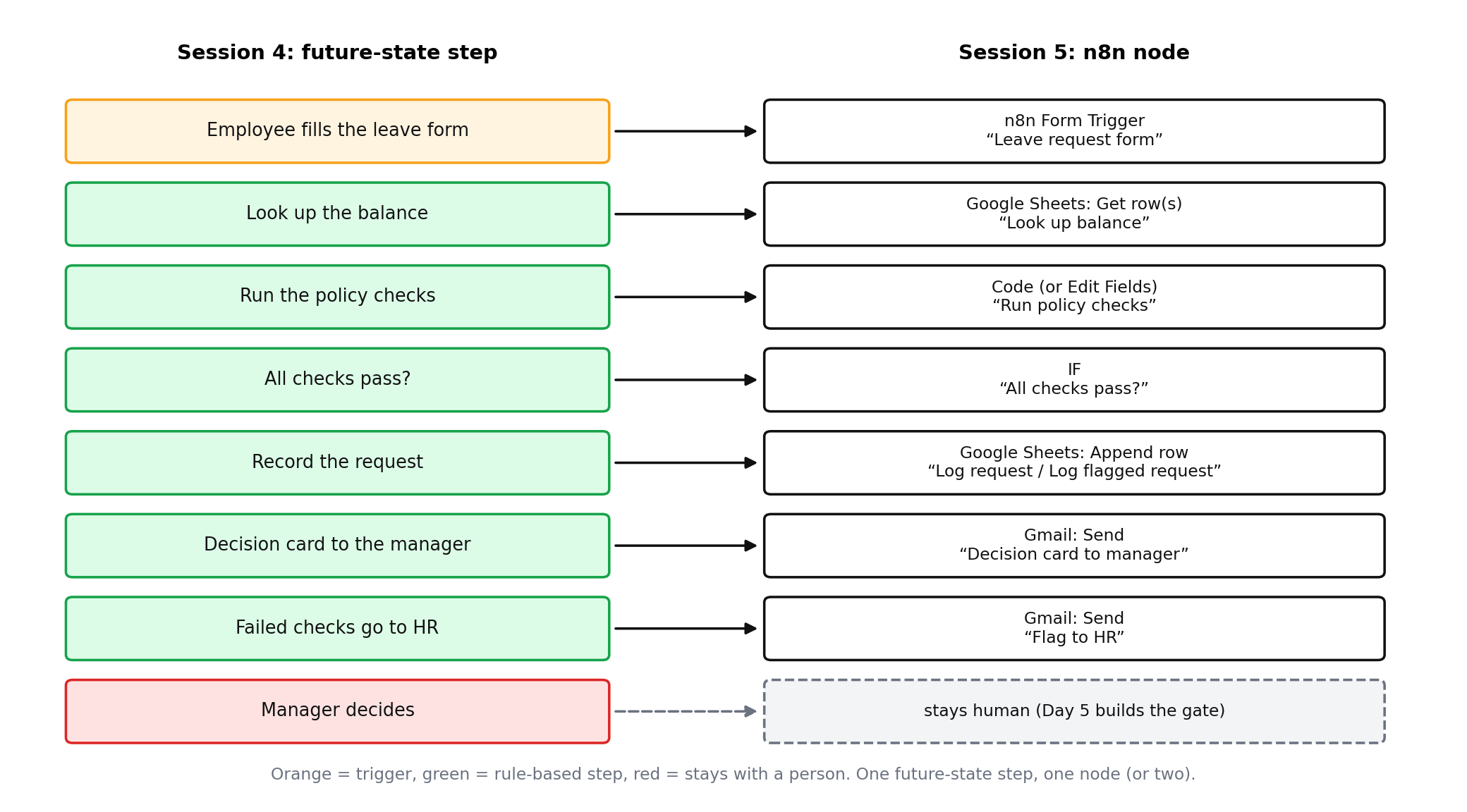
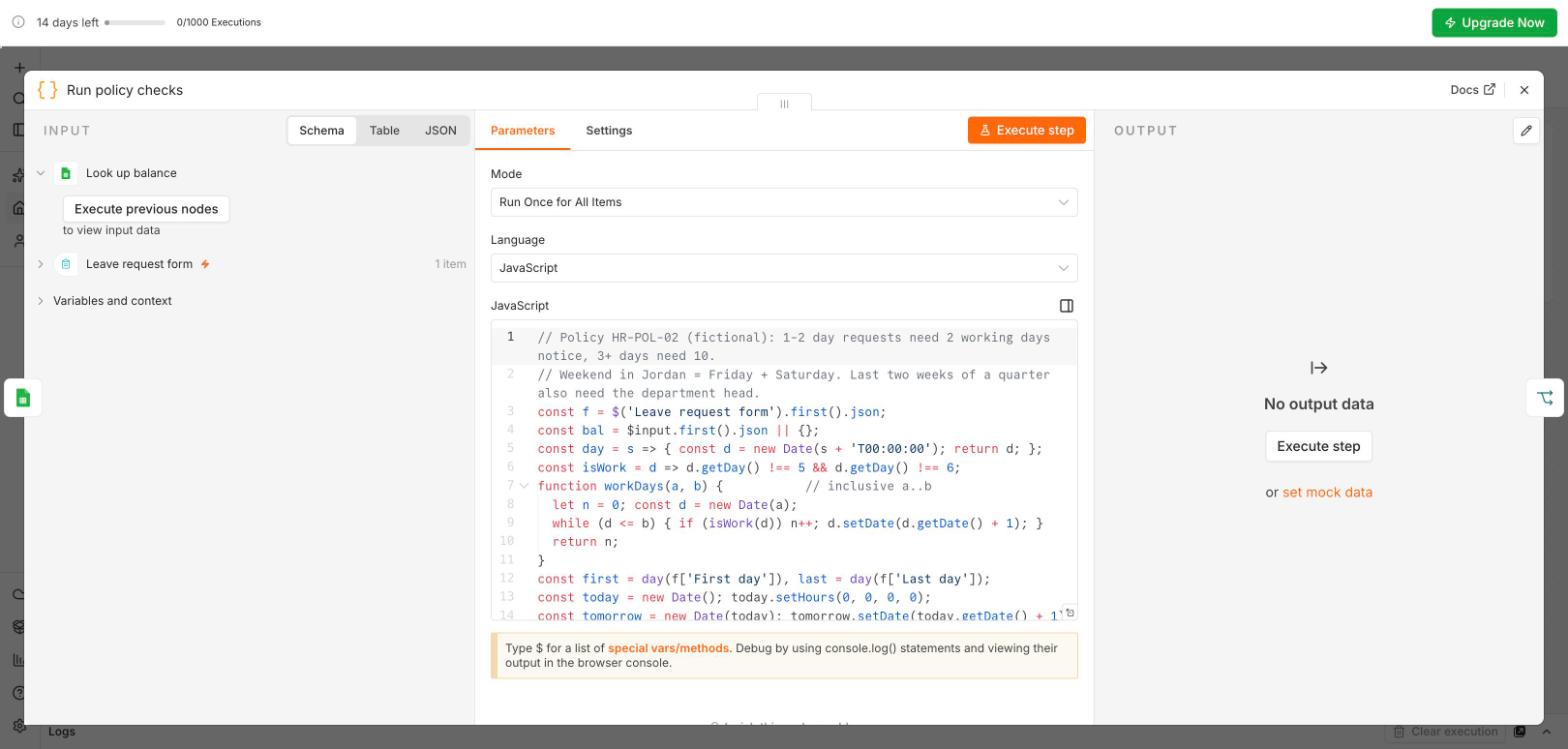
It does not approve or decline: the manager decides (Day 5 builds the approval gate). It does not chase the manager yet (candidate 4, a reminder, comes later). It does not read the free-text note (Module 6 adds the AI step). We built the high-value, low-risk candidates first.
Compare this with Module 3's current state: no re-typing, the checks run before the manager sees anything, and HR only sees the exceptions. A good map is the workflow design; when they disagree, update the map.
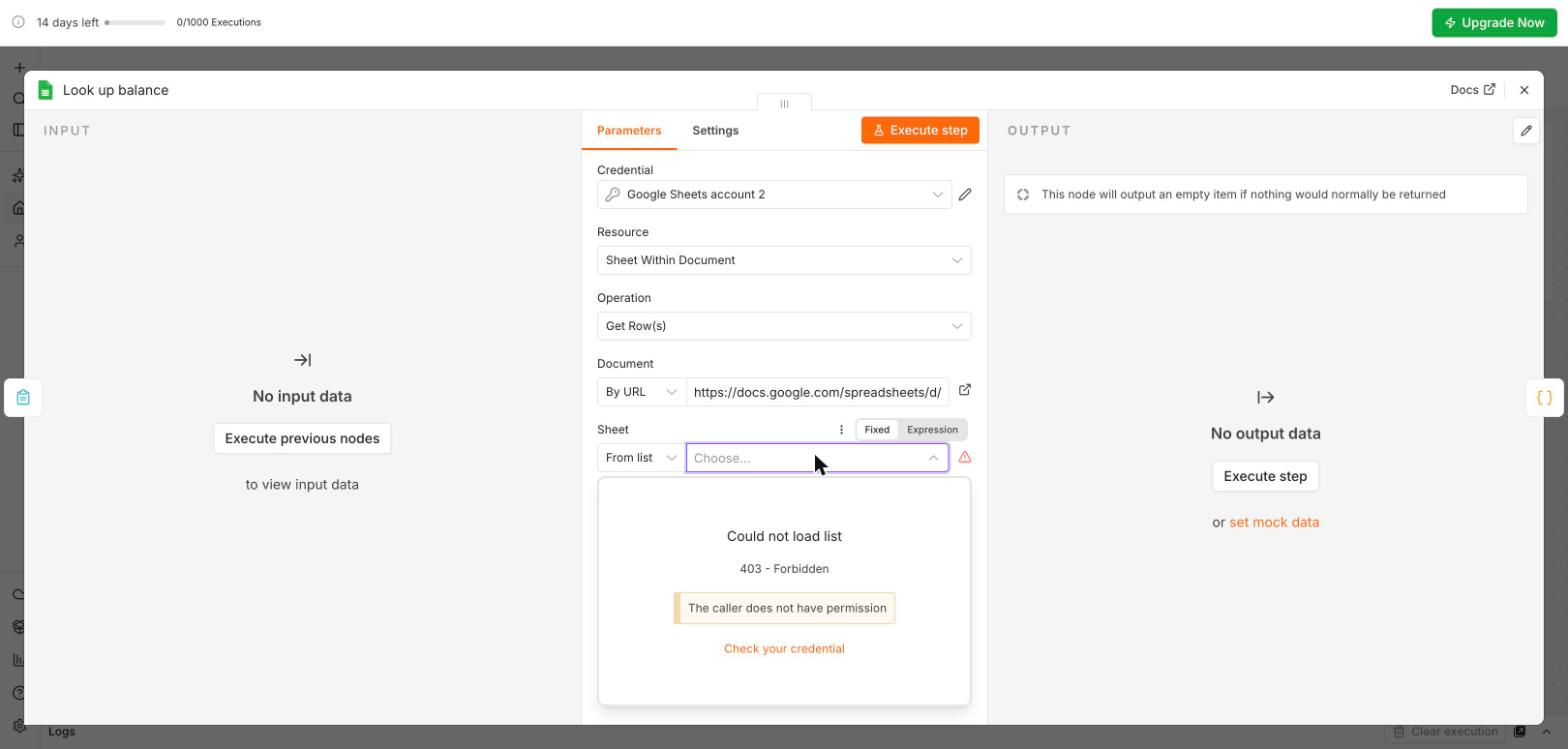
Day3_S5_Leave_Request_Demo.json: import it with Import, From file, then paste your sheet URL into both Sheets nodes and connect your Google account (the red triangles show what is missing). AI Caravan Ltd., its staff and its leave policy are fictional.
Build it yourself: in the live session, 40 minutes in breakout rooms of three or four, everyone in their own workspace. A request form, logged to a sheet, with an IF, two e-mails and a guard.
Google Sheets, a new sheet Requests with the headers Timestamp, Name, Email, Department, Amount, Description, Status. A native Google Sheet, in the same Google account as n8n. Or start from Day3_S5_Requests_Template.xlsx and use File, Save as Google Sheets.
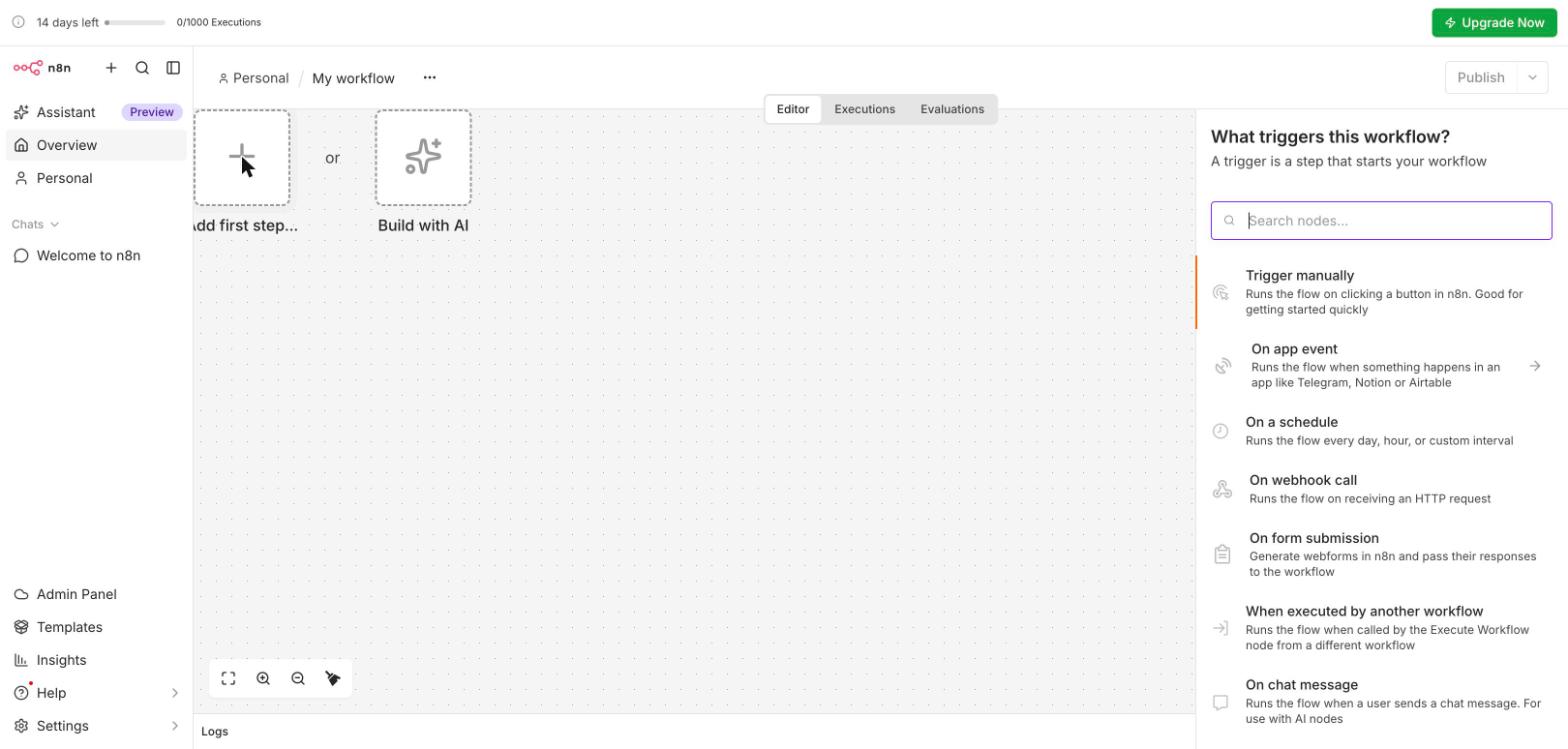
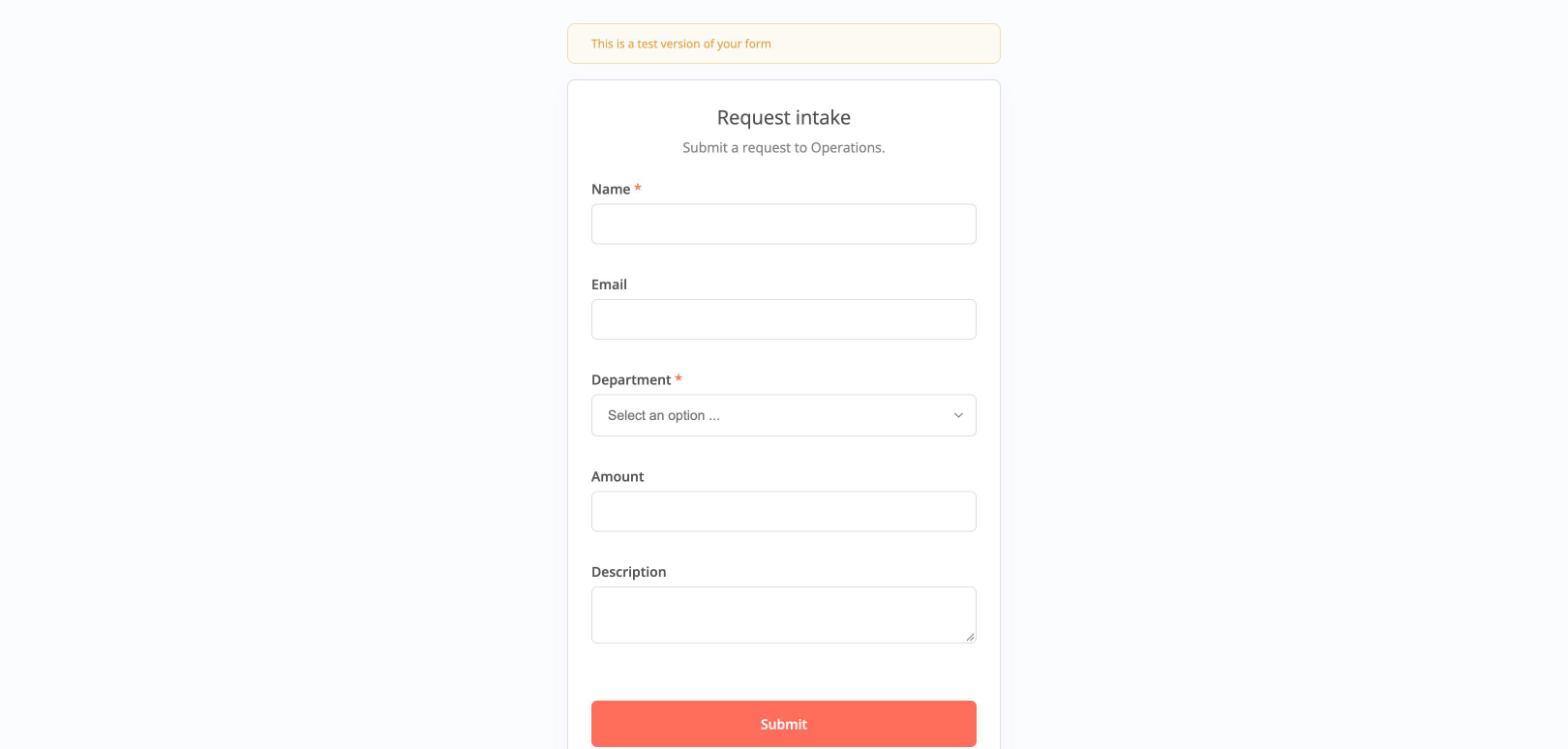
A new workflow M5 Request intake. Add first step, On form submission. Fields: Name (required), Email, Department (dropdown: Finance, HR, IT, Operations), Amount (number), Description (textarea). Leave Email and Amount optional on purpose: the guard in step 6 needs something to catch. Execute step, submit the test form once, read the output.
The + on the form node, Google Sheets, Append row in sheet. Sign in with Google (the account that owns the sheet), pick the document and the tab, then drag each field from the input panel onto its column; submittedAt goes to Timestamp. Status: type the fixed value New. Execute step, then check the sheet.
An If node: drag Amount in, operator Number, is greater than, value 500. Make sure it is a Number operator, not String. Test once above and once below 500.
Gmail, Send a message on each branch: "Request received - needs approval" on true and "Request received - being processed" on false. To: drag Email; a short message using Name and Amount.
An If right after the form: Email is not empty AND Amount is greater than 0. True continues to the sheet. False: Edit Fields sets Status to Incomplete, then a second Sheets node appends the row. No e-mail.
In each Gmail node's Settings: Retry On Fail, Max. Tries 3, Wait Between Tries 5000 ms. Then a second workflow, Error notifier: an Error Trigger, then Gmail to you. Attach it in the lab workflow's menu, Settings, Error Workflow.
Three tests: an amount of 200, 900, and one left blank. Three rows (New, New, Incomplete) and two e-mails. Then Publish (top right), copy the production form URL, and open Executions. Finally: menu, Export JSON.
Tested on 11 October 2026: when Amount is left blank, the n8n form sends Amount = 0. A guard Amount is not empty lets it through, logs it as New and sends an e-mail. Use Amount is greater than 0. The lesson in itself: test the empty case on purpose, do not assume.
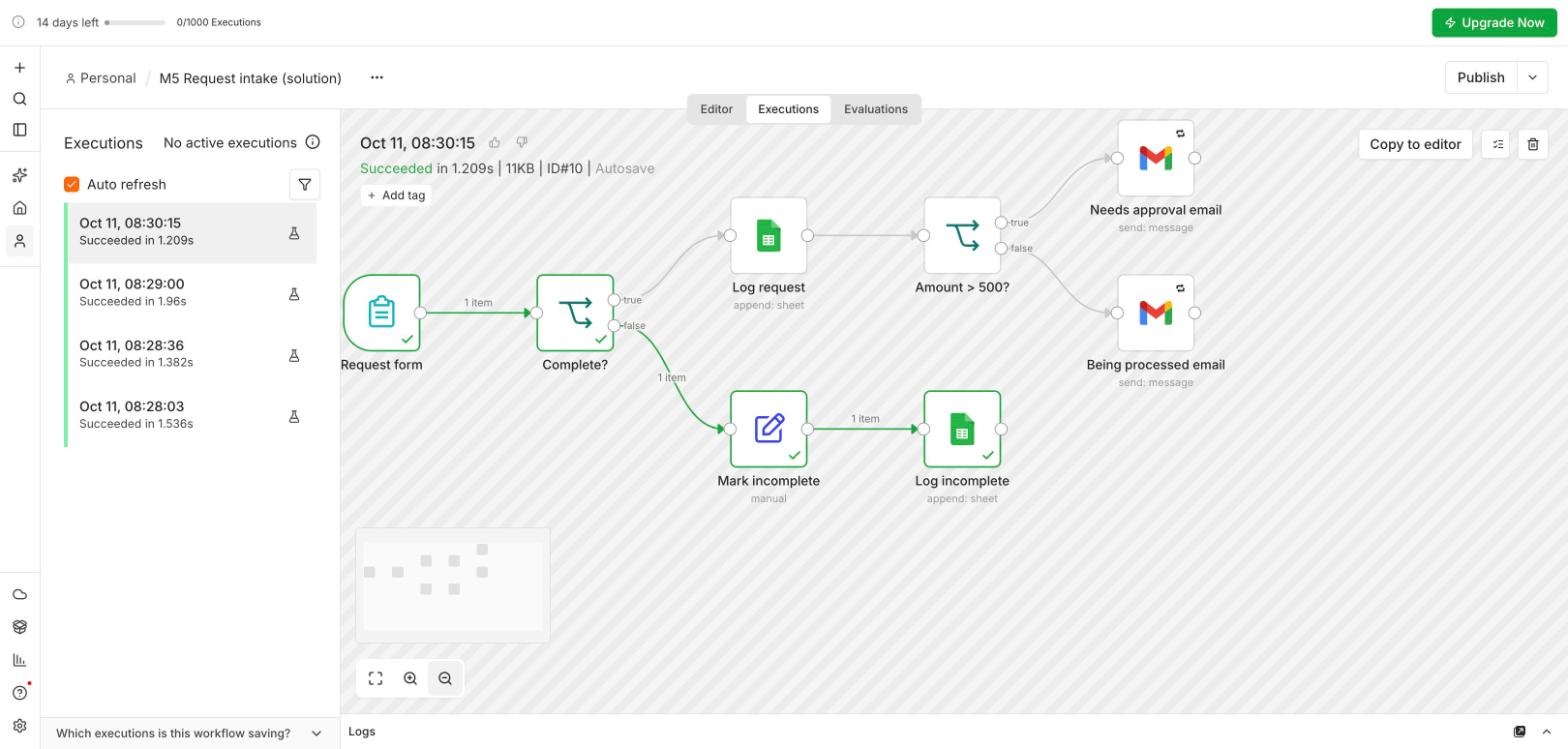
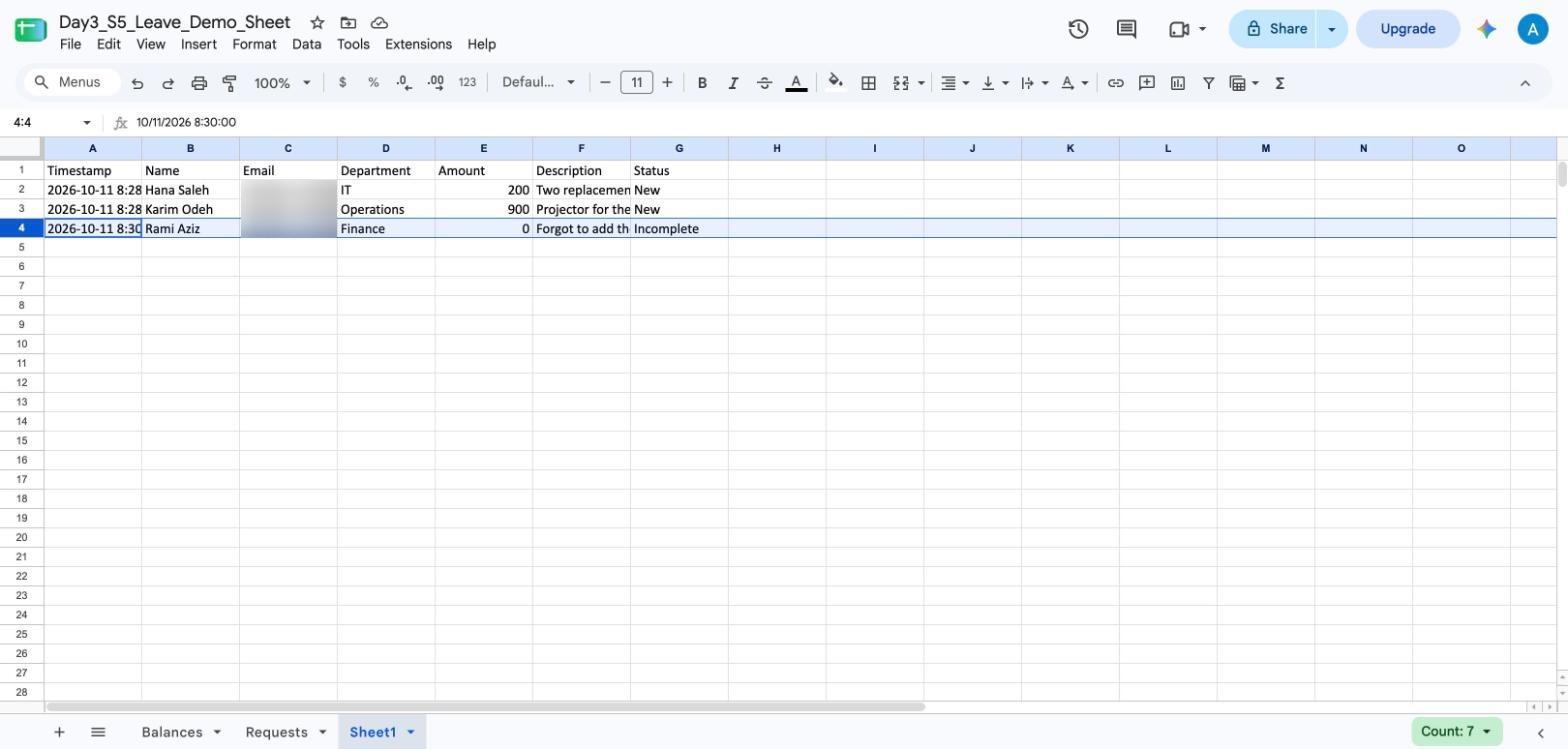
A published M5 Request intake workflow with three test runs (small, large, incomplete), the Requests sheet showing three rows, and the exported JSON file. Optional: the Error notifier attached. Saved as M5-request-intake. Handout: Day3_S5_Lab_Handout.pdf. The solution, to compare after you have built your own: Day3_S5_Request_Intake_Solution.json.
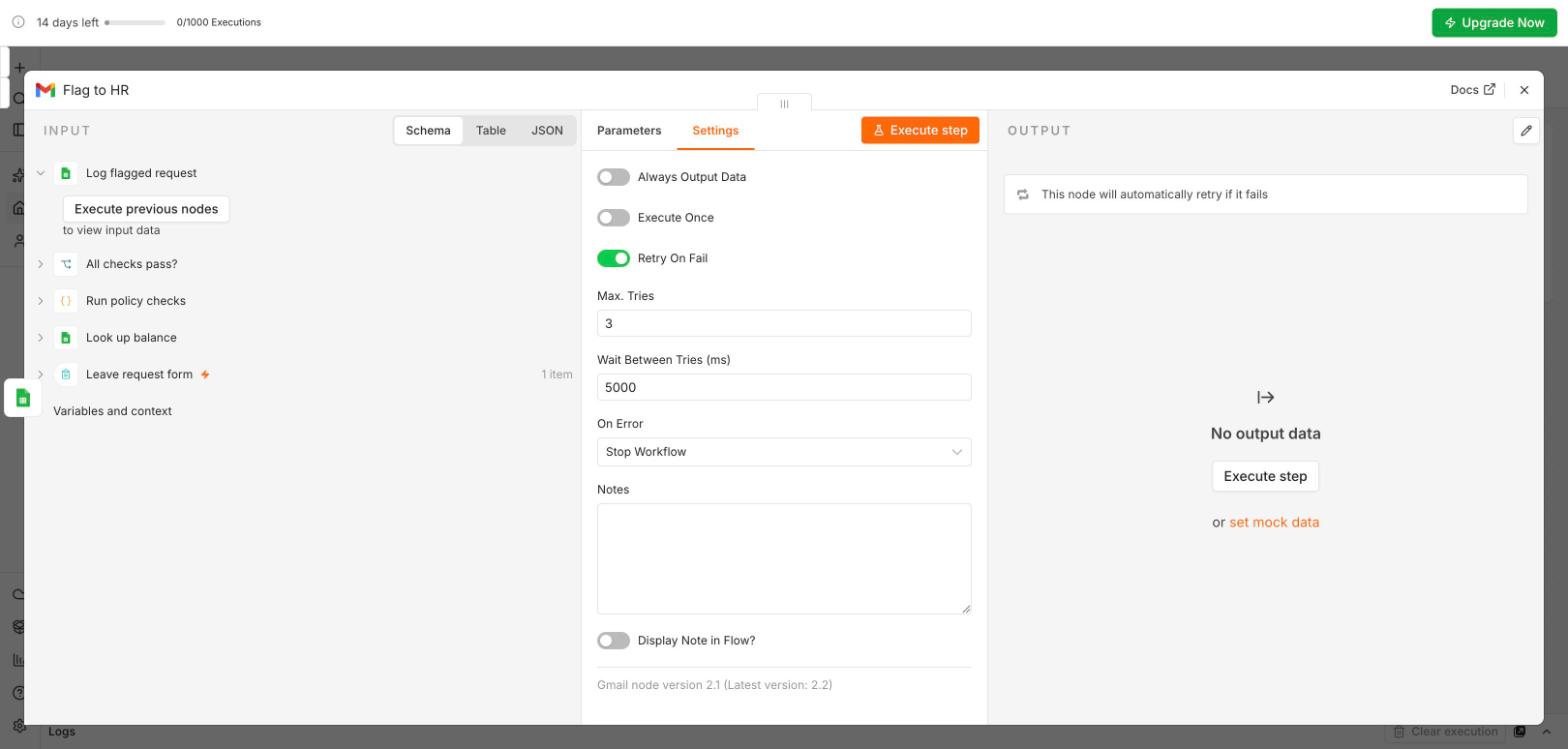
Build once: a separate workflow, Error Trigger, then Gmail to you with the workflow name and the execution link; publish it. Attach to every workflow: workflow menu, Settings, Error Workflow. A silent failure becomes an e-mail, and the link opens the failed run in Executions.
Execute step runs one node with the data before it; Execute workflow runs the whole thing once. The test URL listens for one submission. Test runs show in Executions with a flask icon.
Publish (top right) makes it live; the production URL works for everyone, any time. From n8n 2.43, a workflow with unconnected required inputs cannot be published. Change something? Test again, publish again. (Older n8n versions and tutorials say Active; same idea.)
A failed run you hear about is fine. An automation that fails silently is worse than no automation: people stop checking because they think it works.
Menu, Export JSON, for every workflow you built today. The trial deletes the workspace after 14 days; your JSON files are your copy.
Pick one answer per question, then check your score. These mirror the style of the final exam.
Answer in your own words first, then open the model answer.
Form Trigger = the trigger; Sheets append = the removed REKEY step; IF on amount = a green rule-based decision; Gmail = the DRAFT step with fixed text for now; the empty-field IF = a guard that did not exist before and should be added to the map.
Because sending is irreversible. A guard before the step that leaves the organisation prevents 'Dear ,' emails; a check afterwards can only report the damage.
Swap the Gmail node for Microsoft Outlook and the Google Sheets node for Microsoft Excel 365 or SharePoint; the trigger, IF logic, data mapping and error handling stay identical.
Next, Module 6: an inbox triage: an AI step reads each incoming e-mail and labels it billing, technical or sales, with an "unsure" route that hands the doubtful ones to a person.
All n8n screens are real, from the course trial workspace (October 2026); personal e-mail addresses are blurred. AI Caravan Ltd., its employees and its leave policy are fictional. Further reading: n8n for intelligent workflows.